Obstacle Dash 3D Reflex

Obstacle Dash 3D Reflex

Reflex Coordination Arcade

Reviews

Obstacle Dash 3D Reflex delivers exactly what its name promises: a straightforward test of reaction time and hand-eye coordination. The 3D tunnel environment is visually clear, making it easy to spot incoming obstacles. The controls are tight and responsive, which is essential for a game where split-second decisions matter. The gradual increase in speed and obstacle complexity keeps the game engaging without feeling unfair. It is an excellent choice for players looking for a quick mental break or a way to sharpen their reflexes. The lack of complex mechanics means you can jump in and start playing immediately, which is a strength for a casual arcade title.

About this game

Core Gameplay Loop

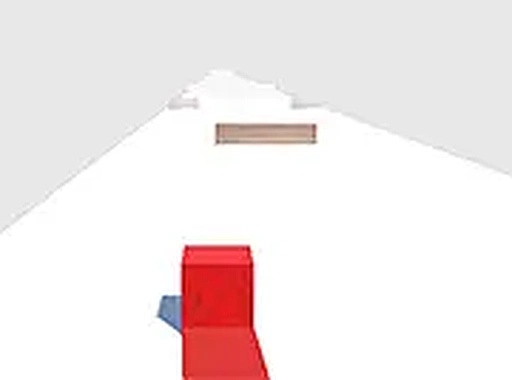
Obstacle Dash 3D Reflex places you in control of a ball that moves forward automatically through a winding 3D corridor. Your task is to steer the ball left or right, or make it jump, to avoid the blocks that appear along the path. The game ends when you hit an obstacle, so each attempt is a fresh challenge to see how far you can go. The core loop is simple: react quickly, avoid obstacles, and try to beat your previous distance.

Control Scheme and Responsiveness

The game uses a straightforward control system. On desktop, you can use the mouse to click and drag, or use keyboard arrows to move the ball. The controls are designed to be highly responsive, meaning your inputs translate directly into on-screen action. This precision is important because as you progress, obstacles appear in tighter formations and at faster speeds. Mastering the controls is the first step toward achieving high scores.

Visual and Audio Atmosphere

The 3D graphics create a sense of depth and speed, with the tunnel walls and obstacles rendered in bright, contrasting colors. This visual clarity helps you spot incoming barriers early. The background music and sound effects provide audio cues that complement the visual feedback, such as a distinct tone when you pass a certain distance milestone. Together, the visual and audio elements create an immersive environment that keeps you focused on the path ahead.

Difficulty Progression and Replay Value

Obstacle Dash 3D Reflex features a gradual difficulty curve. Early runs are relatively slow, giving you time to learn the controls and basic obstacle patterns. As you improve, the game increases the speed and introduces more complex obstacle arrangements. This progression ensures that the game remains challenging for both new players and those who have spent hours practicing. The endless nature of the game means there is always a new personal best to chase, encouraging repeated play.

Strategies for Improvement

To improve your performance, focus on looking ahead rather than directly at the ball. Anticipating obstacles gives you more time to react. It is also helpful to practice staying calm under pressure, as panicking can lead to erratic movements. Learning the timing of jumps and direction changes for specific obstacle patterns can help you navigate tight spots more smoothly. Regular short practice sessions are often more effective than long, infrequent ones for building muscle memory.
Compatibility

This H5 game runs smoothly on:
• Desktop computers (Windows / Mac) • Mobile phones (iPhone / Android)
• Tablets (iPad / Android)
🌐 Best experienced with Chrome, Safari, or Edge

FAQ

Is Obstacle Dash 3D Reflex free to play?
Yes, the game is free to play. There are no upfront costs or subscription fees required to start playing. You can access it directly in your web browser without any downloads.
Can I play Obstacle Dash 3D Reflex on my phone?
The game is designed primarily for desktop browsers, but many similar 3D arcade games also work on mobile devices with touch controls. Check the game's website or platform for specific mobile compatibility details.
What happens when I hit a block in Obstacle Dash 3D Reflex?
When your ball collides with an obstacle, the run ends immediately. You will then see your final score, which is based on the distance you traveled. You can start a new run right away to try to beat that score.
Does Obstacle Dash 3D Reflex have different difficulty modes?
The game uses a progressive difficulty system that automatically increases speed and obstacle complexity as you travel further. There are no separate difficulty settings to select before playing.
How is my score calculated in Obstacle Dash 3D Reflex?
Your score is based on the distance you travel without hitting any obstacles. The further you go, the higher your score. Some versions of this game type may also award bonus points for performing specific maneuvers or collecting items.
Is there a way to pause Obstacle Dash 3D Reflex?
Most browser-based reflex games do not include a pause feature because the action is continuous and real-time. It is best to play in a distraction-free environment where you can focus on the game for the duration of each run.

Comments

0 comments
U
User
★ ★ ★ ★ ★
Loading comments...

Similar Products