Core Steering Mechanic
At its heart, this game revolves around a single action: rotate the pointer to face the correct direction, then let go to slide forward. The twist is that you must hold a key to prepare the pointer for rotation, adjust its angle using arrow keys, and release to move. This sequence turns a simple motion into a thoughtful process. Each movement requires a brief pause to plan the next angle, making every decision count. The game strips away unnecessary complexity, leaving only the challenge of guiding the pointer through tight spaces without touching the edges.
Tunnel Layout and Variation
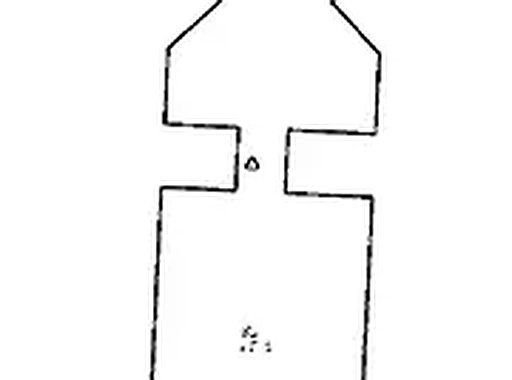
The tunnels in this game are not all the same. Some sections feature gentle curves that allow for gradual steering, while others present sharp turns that demand quick adjustments. The width of the path can also change, forcing players to slow down and rotate more carefully. These variations keep the experience fresh from one attempt to the next. Because the game does not rely on random elements, the layout becomes a pattern that players can learn and improve against over time.
Visual Design and Focus
The graphics are kept minimal, with a clean top-down view that puts all attention on the pointer and the tunnel walls. There are no distracting backgrounds or flashy effects. This simplicity helps players concentrate on the task at hand. The color scheme uses clear contrasts so the pointer and boundaries are easy to see. A full-screen mode is available to remove any browser clutter, creating a more immersive environment for those who want to eliminate visual noise.
Progression and Skill Building
As players advance, the game introduces more complex tunnel configurations that require faster reaction times and more precise rotations. There is no explicit scoring system mentioned, but the satisfaction comes from completing a section without errors. Each successful run builds muscle memory, teaching the player how the pointer responds to different angles. Over time, movements become smoother and more automatic. This gradual improvement is the main reward, encouraging repeated short sessions to refine technique.
Platform and Accessibility
This game is designed exclusively for desktop computers, as it relies on keyboard inputs. It runs directly in the browser without any downloads or installations. The controls are straightforward, making it accessible to players of all ages who can use a keyboard. The short play sessions fit well into breaks or spare moments, and the lack of a time pressure element means players can proceed at their own pace. This makes it a good option for those who enjoy skill-based challenges without the stress of a countdown.


Comments
0 comments