Musical Faceoff with Gumball

Musical Faceoff with Gumball

Cartoon Music Humor

Reviews

This browser-based rhythm game offers a welcoming entry point for newcomers to the genre. The cartoon-inspired character designs add personality without distracting from the core gameplay. Songs ramp up at a comfortable pace, allowing players to build confidence before facing faster tracks. The clean interface and low system requirements make it an excellent choice for families or classrooms looking for a quick musical activity. While it may not satisfy hardcore rhythm enthusiasts, it succeeds as a lighthearted, accessible experience.

About this game

Matching Beats with Cartoon Characters

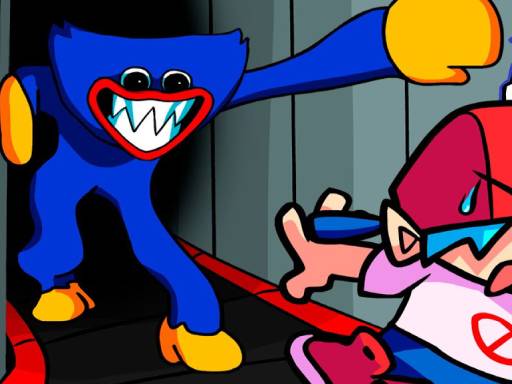
This online game puts players in the role of a musician facing off against characters from a well-known animated show. Each round presents a musical track where players must press arrow keys on their keyboard to match the rhythm. The game uses simple visual cues that appear on screen, guiding players to hit the correct keys at the right moment. Success depends on timing and attention, not on prior musical training.

Song Selection and Difficulty Curve

The game includes several original songs that gradually increase in tempo and complexity. Early tracks allow players to learn the basic pattern of note sequences. Later songs introduce faster rhythms and more varied key combinations, creating a steady challenge that keeps the experience engaging without becoming frustrating. Players can replay any song to improve their score.

Visual Style and Character Design

Character sprites are inspired by the cartoon's distinctive art style, with exaggerated expressions and bright colors that match the lighthearted tone. The background changes with each song, adding visual variety. The interface is clean and uncluttered, making it easy for younger players to follow the action without distraction.

Accessibility and Technical Performance

Built with web technologies, the game runs directly in modern browsers on Windows, macOS, Linux, and ChromeOS. There are no plugins or downloads required. The code is optimized for low-end hardware, so it works smoothly even on older computers or devices with limited resources. This makes it a reliable choice for quick play sessions at home or school.

Practice Strategies for Better Scores

New players can improve by starting with slower songs to build muscle memory for the key patterns. Focusing on accuracy rather than speed helps develop a consistent sense of timing. Taking short breaks between attempts can prevent fatigue and maintain concentration. Listening to the music carefully rather than watching the visual cues alone often leads to better synchronization.

Compatibility

• OS: Windows 10+, macOS 11+, iOS 14+, Android 10+
• Browsers: Chrome 100+, Safari 15+, Edge 100+, Firefox 100+
• Not compatible with Internet Explorer
Tested on real devices ✅ works as expected

FAQ

Is Musical Faceoff with Gumball free to play?
Yes, the game is completely free to play. There are no in-app purchases, subscriptions, or hidden fees. All songs and characters are accessible without any payment.
What devices support this game?
The game works on any device with a modern web browser, including Windows PCs, Macs, Chromebooks, and Linux systems. It does not require a powerful graphics card or large amounts of memory.
Do I need to know the cartoon to enjoy the game?
No prior knowledge of the animated series is necessary. The game stands on its own as a rhythm challenge. Familiarity with the characters may add enjoyment, but it is not required to play or succeed.
Can I play with a touchscreen or game controller?
The game is designed for keyboard arrow keys. Touchscreen support is not guaranteed. Some players may find that an external keyboard works best for precise timing, especially on tablets.
How many songs are included in the game?
The game includes several original songs. The exact number may vary, but players can expect enough tracks to provide a satisfying progression from easier to more challenging rhythms.
Is there a way to track my progress or high scores?
The game typically displays a score after each song attempt. Some versions may save high scores in the browser session. For persistent progress tracking, players may need to play in the same browser without clearing data.

Comments

0 comments
U
User
★ ★ ★ ★ ★
Loading comments...

Similar Products