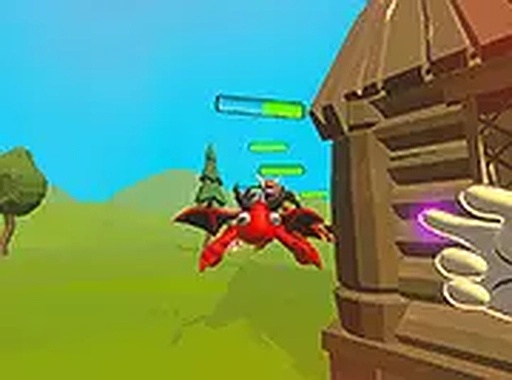
Game Introduction
Magical Finger: 3D Defender is a browser-based action game where players take on the role of a hero with a magical finger. The core objective is to defend against endless waves of attacking demons in a colorful 3D world. As players defeat these creatures, they earn gold that can be used to purchase extra lives and powerful upgrades, such as magical rain. The game also features challenging boss demons that must be overcome to unlock new realms. With fast-paced gameplay and a magical theme, this 3D defender offers a unique experience for players of all ages. It is free to play directly in a browser with no download required.
How to Play
Players use a mouse or keyboard to aim and shoot the magical finger at incoming demons. The goal is to survive as long as possible by defeating enemies and avoiding their attacks. Gold collected from fallen foes can be used to buy extra lives and activate magical rain, which helps clear multiple enemies at once. The game is designed for desktop play and works best with a keyboard or mouse. Players can switch to full screen mode for a more immersive experience. Keeping an eye on health and using resources wisely is key to facing tougher bosses and unlocking new areas.
Game Features
Magical Finger: 3D Defender includes endless demon waves, boss battles, and upgradeable powers like magical rain. The game offers a variety of challenges that keep players engaged, from fast-paced action to strategic resource management. Each new realm introduces stronger enemies and more complex patterns, requiring quick reflexes and smart decisions. The magical theme adds a fun twist to the classic defender genre, making it accessible for younger players while still entertaining for adults. The game is free to play directly in a browser with no download required.
Tips for Success
To succeed, focus on collecting gold from defeated enemies to purchase extra lives and upgrades. Use magical rain strategically when surrounded by many demons to clear them quickly. Keep moving to avoid enemy attacks and aim carefully to maximize shots. Save resources for tough boss battles, as they require more firepower and health. Practice reflexes and learn enemy patterns to survive longer. Switching to full screen mode can improve visibility and immersion.






Comments
0 comments