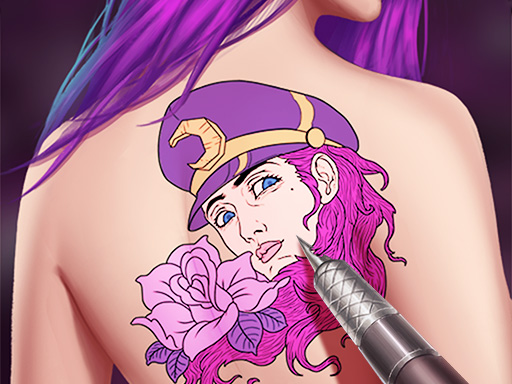
Game Introduction
Princess Art Designer Creative Studio invites you into a world of creativity and color. You become a virtual artist for beautiful princesses, helping them create stunning decorative designs. The game offers a wide selection of patterns, from delicate flowers to intricate shapes. You can choose colors from a vibrant palette and fill in each design with precision. The goal is to create unique, eye-catching artwork that reflects your personal style. This game provides a safe, family-friendly environment where players of all ages can enjoy the art of design without any real-world risks. The excitement of perfecting each creation will keep you engaged, and your coloring skills will earn recognition. Additionally, you can upload your own photos to try on virtual designs, giving you a realistic preview without any commitment. Share your creations with friends and let them admire your artistic talent.
How to Play
Start by selecting a princess from the available options. Browse through the design patterns and pick one that suits your style. Use the color palette to fill in the design with your chosen shades, paying attention to details for a flawless finish. Once you are satisfied, apply the design to the princess. For an extra fun twist, upload your own photo and place the design on it, adjusting size and position. Finally, save and share your artwork to impress your friends. The game is intuitive and easy to navigate, making it perfect for beginners and experienced players alike.
Game Features
Creative design options with many patterns. Vibrant color choices for custom looks. Photo upload feature to try designs on your own images. Safe family fun with no real ink or pain. Easy sharing to show friends your creations. The interface is designed to be accessible for players of all ages, encouraging artistic expression in a controlled environment.
Tips for Success
To create the most impressive designs, take your time selecting colors that complement each other. Experiment with different pattern and color combinations to discover unique styles. Pay close attention to the details of each pattern for a polished finish. Practice regularly to improve your precision and speed. Use the photo upload feature to see how designs look on real images, which can help you refine your artistic choices. Share your work with friends for feedback and inspiration.








Comments
0 comments