Cozy Home Builder - Family Sim
Reviews
Cozy Home Builder stands out for its gentle pace and emphasis on positive relationships. The character customization and adoption process feel meaningful, while the city activities provide just enough variety to prevent boredom. Cooperative play with friends adds a welcome social layer. The controls are responsive and easy to learn, making this an excellent choice for families or anyone seeking a calming, rewarding simulation experience.
About this game
Starting Your Household
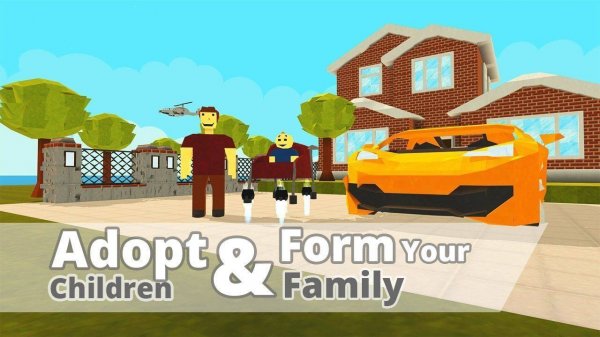
Players begin by designing their own character and selecting children to welcome into their home. This initial setup allows for personal expression while establishing the core unit around which all activities revolve. The process is straightforward, ensuring that even newcomers to simulation games can jump right in without confusion.Daily City Life
The game presents a lively urban environment where residents can take on various roles. One common activity involves working at a local grocery store to earn in-game currency. These earnings help maintain the household and unlock new opportunities for fun. The city also offers parks, shops, and other locations to visit during free time.Family Connections
After a day of work or exploration, returning home is where the heart of the experience lies. Players can interact with family members through simple activities like sharing meals, playing together, or just relaxing. These moments help build stronger relationships and create a sense of belonging within the virtual home.Cooperative Play
Friends can join the experience, making it possible to grow families together or share in daily adventures. The safe, friendly environment encourages positive interactions and teamwork. Whether visiting each other's homes or exploring the city as a group, the social aspect adds depth to the gameplay.Simple Controls for All Ages
The interface relies on intuitive touch or click controls, making navigation and interaction easy for younger players and adults alike. Moving around, picking up items, and driving a car are all handled with minimal input, allowing the focus to remain on the enjoyable routines and relationships.Compatibility
This H5 game runs smoothly on:
• Desktop computers (Windows / Mac) • Mobile phones (iPhone / Android)
• Tablets (iPad / Android)
🌐 Best experienced with Chrome, Safari, or Edge

FAQ
Can I customize my character's appearance in Cozy Home Builder?
Yes, the game allows you to personalize your character's look during the initial setup. Options typically include hairstyles, clothing colors, and accessories. This feature helps players feel more connected to their virtual family member.
Is there a time limit for completing daily tasks in Cozy Home Builder?
No, the game does not impose strict time limits. Players can progress at their own pace, focusing on work, family interactions, or city exploration as they choose. This relaxed approach makes it suitable for casual gaming sessions.
How do I earn in-game currency in Cozy Home Builder?
Currency is earned primarily by working at the grocery store, which is one of the main activities available in the city. Completing tasks there rewards players with funds that can be used to improve the home or purchase new items.
Can I adopt more than one child in Cozy Home Builder?
Yes, the game supports adopting multiple children to expand your family. Each new member adds to the household dynamic, offering more opportunities for bonding and shared activities.
Is Cozy Home Builder available on mobile devices?
The game is designed with simple controls that work well on both desktop and mobile platforms. While specific device compatibility may vary, its touch-friendly interface makes it a good fit for tablets and smartphones.
What happens if I don't work in Cozy Home Builder?
Skipping work does not lead to negative consequences. Players can choose to focus entirely on family time or exploration without penalty. The game encourages a balanced approach but allows for flexible playstyles.
Comments
0 comments