Reviews
Match The Color! offers a simple but addictive challenge. The increasing speed keeps you on your toes, and the color recognition element adds a layer of mental engagement. It is a great way to sharpen your reflexes during a short break. The family-friendly design and free access make it a reliable choice for casual gaming. Replay value is high because each round feels different as your timing improves.
Description
Game Introduction
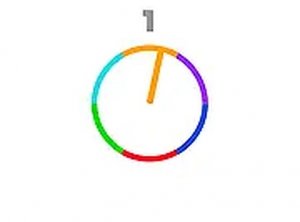
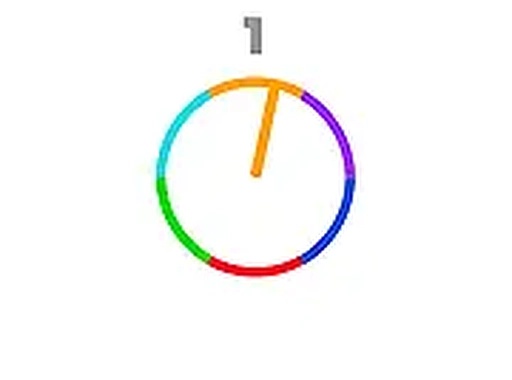
Match The Color! is a straightforward arcade puzzle game that challenges your timing and color recognition. The game presents a clock-like interface with a moving needle. Your goal is to click or press the spacebar when the needle aligns with the correct color. It is a test of precision and quick reflexes, perfect for players of all ages who enjoy simple yet engaging gameplay. The vibrant colors and easy-to-understand mechanics make it a great choice for a quick break or a longer gaming session. Best of all, it is completely free to play, running directly in your browser without any downloads or installations. Whether you want to sharpen your reaction time or just have some fun, Match The Color! offers a clean, family-friendly experience that everyone can enjoy.
How to Play
Playing Match The Color! is easy and intuitive. Simply watch the clock needle as it moves around the dial. When the needle points to the color that matches the target color displayed on the screen, you need to act fast. Click your mouse or press the spacebar on your keyboard at the precise moment the needle is on the correct color. The game is designed for desktop play, so you will need a keyboard or mouse to participate. Each successful match earns you points, and the game continues with increasing speed or complexity, keeping the challenge fresh. There are no complicated controls or rules to learn. Just focus on the colors and your timing. For the best experience, you can play in full screen mode, which makes it easier to see the colors and the needle's position. It is a perfect game for players who enjoy quick, responsive challenges that test their coordination and attention.
Game Features
Simple, family-friendly color matching gameplay. No downloads or installations required. Increasing difficulty keeps the challenge fresh. Full screen mode for better visibility. Free to play in your browser.
Tips for Success
To improve your performance, practice focusing on the target color before the needle approaches. Try to anticipate the needle's movement speed and click just as it aligns. If the game speeds up, stay calm and maintain your rhythm. Taking short breaks can help keep your reflexes sharp. Remember that precision is more important than speed—a well-timed click is better than a rushed one.